
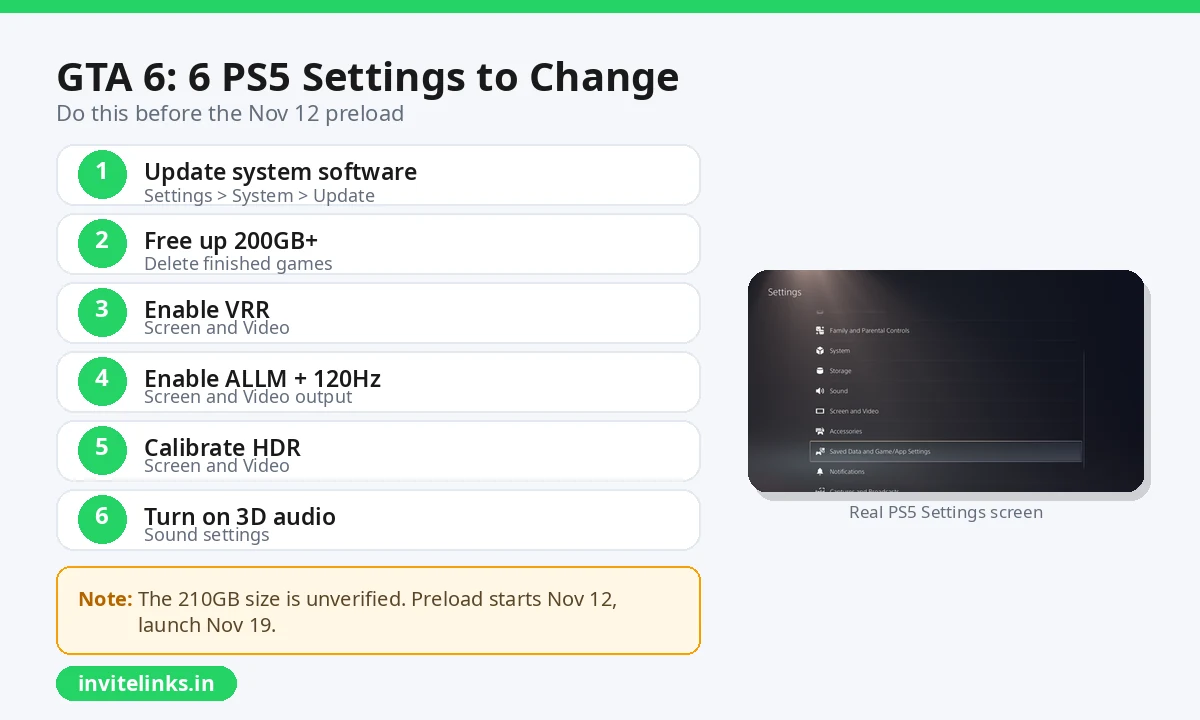
GTA 6 launches on November 19, 2026 for PS5 and Xbox Series X|S only, and there is real prep you can finish this week. Update your PS5 system software, free up over 200GB of storage, and enable VRR, ALLM, 120Hz output, HDR calibration and 3D audio now. That way launch night is about playing, not troubleshooting settings menus. Think of this as a companion to our GTA 6 download and release guide, which covers the release date, India pricing of Rs 5,999 and Rs 7,499, and pre-order details. Below is only the practical checklist for your console.
Check for a PS5 system software update first
Nothing ruins launch night like a surprise firmware download. Go to Settings, System, System Software, then System Software Update, and install anything pending. A fully updated console also downloads preloads and day-one patches more reliably.
While you are there, confirm your console has an internet connection ready for a very large download. The reported GTA 6 PS5 download size of around 210GB comes from a PlayStation Game Size report shared in late October, and it is not confirmed by Rockstar. Treat it as unverified, but it is the only figure available, so clear well over 200GB before preload day.
Free up storage before the November 12 preload
Rockstar support says GTA 6 preload starts at local midnight on November 12, 2026, and India unlocks at 12:00 AM IST on November 19. See Rockstar’s official GTA VI page for trailers and updates. That gives you one week to download, so do not wait for the last evening. Delete games you finished, move captures to external storage, and check your installed games list for anything you will not touch this year. A wired ethernet connection, or setting downloads to run overnight, makes the big preload far less painful on slower home networks.
Best PS5 settings for GTA 6, verified by Engadget
Engadget published a PS5 settings checklist for GTA 6 on November 1, 2026, with exact menu paths. All five settings below come from that piece. Once the game is out, run through GTA 6’s own in-game settings too, since those will have the final picture and sound tweaks.
| Setting | Where to find it | Why it helps |
|---|---|---|
| VRR (Variable Refresh Rate) | Video Output | Smoother frame pacing |
| ALLM (Auto Low-Latency Mode) | Video Output | Auto game mode, less input lag |
| 120Hz Output | Video Output | Needs HDMI 2.1 port |
| HDR calibration | Video Output | Set Always On, calibrate in room light |
| 3D Audio | Sound settings | Enable with headphones |
What about GTA 6 graphics modes
This is still speculation, so set expectations carefully. Rockstar has not announced GTA 6’s graphics modes, and trailers so far ran at 30fps on the base PS5. A 40fps mode is possible but unconfirmed, according to a YouTube explainer summarizing the current facts. That is exactly why the settings above matter more than guessing at modes. VRR, ALLM, 120Hz output and proper HDR calibration improve whatever the game ships with, and you can revisit the in-game options on day one.
Launch night checklist
Start your preload on the evening of November 12 so it finishes with room to spare. On November 19, launch the game, run through its own settings once for the final picture and sound tweaks, and confirm HDR looks right in your room. With system software updated, storage cleared, and these five PS5 settings enabled, your console will be as ready as it can be for launch night.
Keep Reading
- GTA 6 Download, Release Date and Price Guide
- BGMI WhatsApp Group Links
- How to Watch Live Matches Free on Mobile
- Watch Movies Online Free Legally
- How to Find Real WhatsApp Group Links
Keep Reading: Fortnite's new One Piece season, Modern Warfare 4 Season 1 release date, Gunmaaster G9