Want to get Canva Pro free legally? The short answer: yes, it is possible, but only through Canva’s own official programs. There is no secret hack, no public invite link, and no “lifetime free” trick that does not break Canva’s rules.
In this guide, you will learn the 5 legitimate ways to get Canva Pro free legally in 2026: the Education plan, the Nonprofit plan, the 30-day free trial, a genuine team workspace invite, and official discount programs. You will also learn how to spot the fake “free Canva Pro” scams that can get your account banned, and what really happens when you join a gray-market team.
Also Read

Contents
- Who Gets What: Quick Overview
- Method 1: Canva for Education (Teachers and Students)
- Method 2: Canva for Nonprofits (Registered Charities)
- Method 3: The 30-Day Free Trial (Everyone)
- Method 4: Join a Legitimate Team Workspace
- Method 5: Student Discounts and Official Coupons
- Template Links vs Team Invite Links: Know the Difference
- Red Flags: Fake “Free Canva Pro” Scams to Avoid
- What Happens If You Use a Gray-Market Team
- Frequently Asked Questions
Who Gets What: Quick Overview
Before the details, here is the full picture of how to get Canva Pro free legally. These are the only ways. Everything else you see online is either a scam or a terms-of-service violation.
| Method | Who Qualifies | How Long It Lasts |
|---|---|---|
| Canva for Education | Verified K-12 teachers and their students | Free while eligible |
| Canva for Nonprofits | Registered nonprofit organizations | Free while eligible |
| 30-day free trial | Any new Canva account | 30 days, then paid |
| Team workspace invite | Anyone invited by a workspace admin | As long as the team exists |
| Student discounts and coupons | Students, seasonal promo users | Varies by offer |
If you do not fit any of these categories, the honest answer is that you cannot get Canva Pro free legally on a permanent basis. Canva’s free plan is genuinely useful though, and we will cover that too.
Method 1: Canva for Education (Teachers and Students)
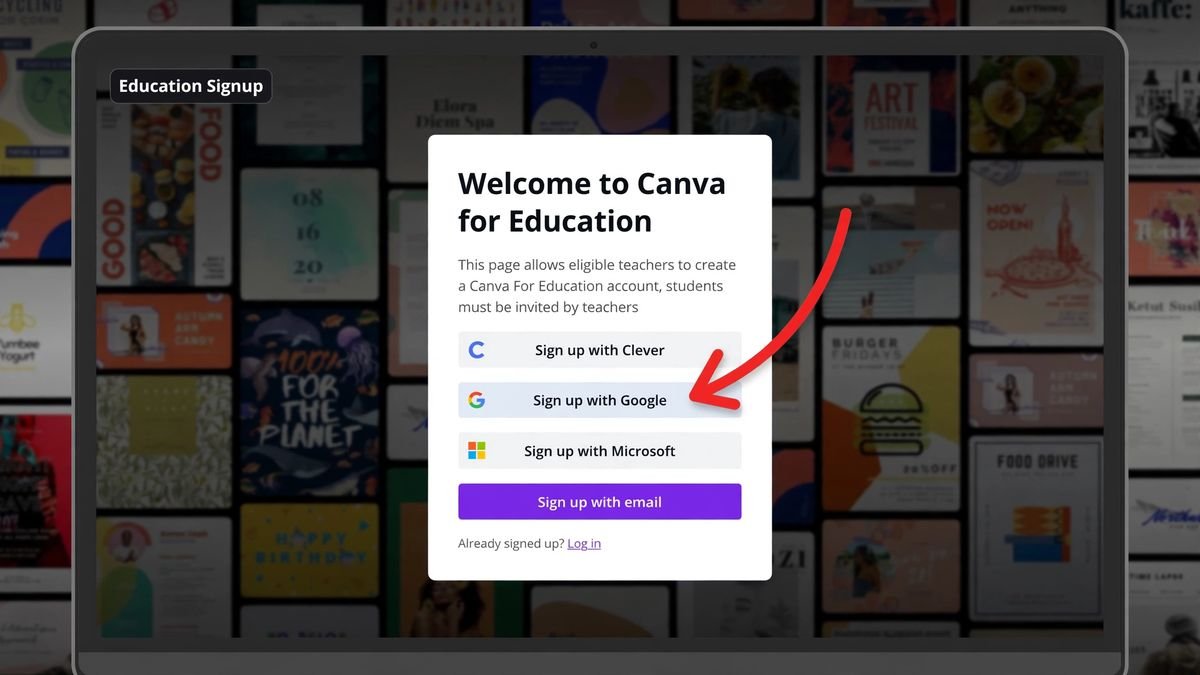
The easiest way to get Canva Pro free legally is through Canva for Education. If you are a K-12 teacher with a school email address, you qualify for the full Pro feature set at zero cost. Your students get it too, once you set up your classroom.
Here is how it works. Sign up at Canva’s education page using your school email address. Canva verifies that you are a real teacher, usually within a few days. Once approved, you get every Pro feature: the background remover, Magic Studio AI tools, premium templates, brand kits, and 1TB of cloud storage. Then you invite your students through your class setup, and they get the same access.
Students cannot sign up alone. The invitation has to come from a verified teacher or school administrator. If your teacher has not set it up, ask them. Many teachers do not know this program exists, and one request from a student is often all it takes.
This is the single most underused way to get Canva Pro free legally. If you are in school or you teach, start here before trying anything else. No other method to get Canva Pro free legally is this straightforward for educators.
Method 2: Canva for Nonprofits (Registered Charities)
Registered nonprofit organizations can get Canva Pro free legally through the Canva for Nonprofits program. Up to 50 team members get full Pro access, which is a serious saving for a small charity.
To qualify, your organization needs to be a registered nonprofit in your country. In India, that generally means a registered trust, society, or Section 8 company. You apply on Canva’s nonprofit page with your registration documents. Canva reviews the application at its own discretion, and approval is not guaranteed, but legitimate charities are routinely accepted.
Once approved, your whole team gets premium templates, brand controls, and collaboration tools. For a nonprofit that produces social media graphics, fundraiser posters, or annual reports, this is easily worth thousands of rupees a year in saved subscription fees.
If you volunteer for or run a nonprofit, this is your path to get Canva Pro free legally. It takes one application and a little patience.
Method 3: The 30-Day Free Trial (Everyone)
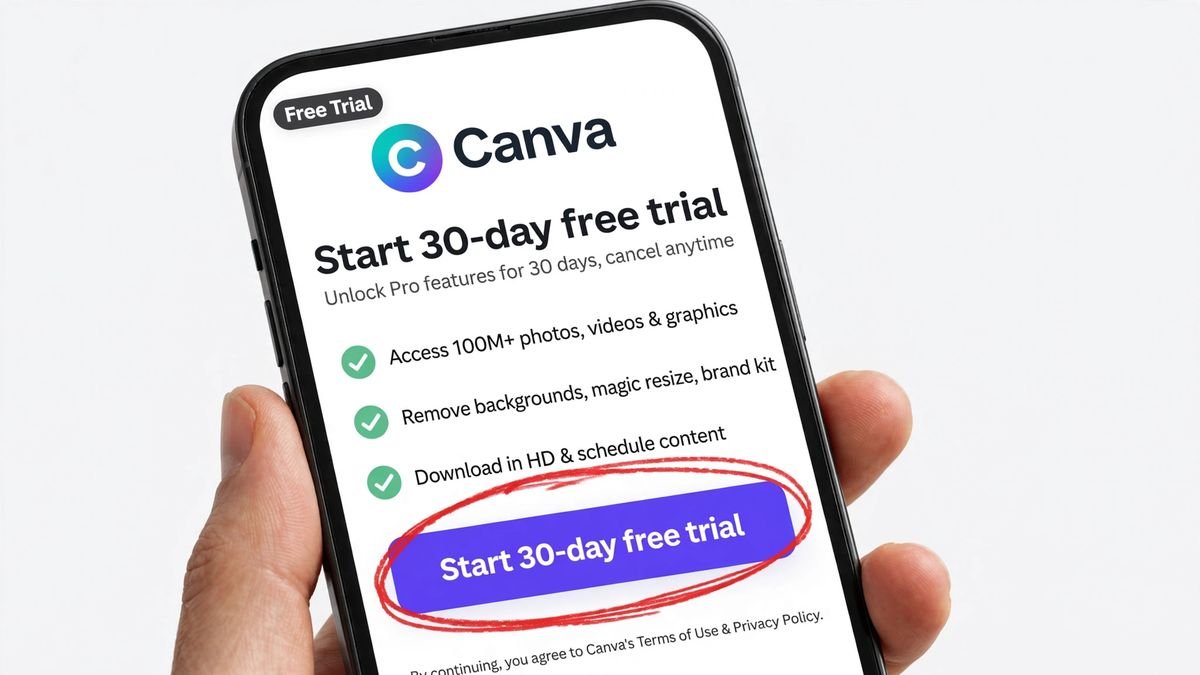
Anyone with a new Canva account can get Canva Pro free legally for 30 days through the official free trial. No school email, no nonprofit status, no invitation needed.
The process is simple. Create a Canva account, click “Try Canva Pro,” and start the trial. You will need to add a payment method, but you are not charged during the 30 days. You get unrestricted access to every Pro feature: all premium templates, the background remover, Magic Resize, Brand Kit, and the full AI toolkit.
The critical step: set a reminder to cancel before day 30 if you do not want to pay. Canva will charge your card automatically when the trial ends. Cancel from your account settings, and you keep Pro access until the trial period finishes.
One honest note. The trial is once per account, and it is the simplest way for anyone to get Canva Pro free legally for a month. Creating multiple accounts to chain free trials violates Canva’s terms and can get all your accounts suspended. Use the trial to evaluate Pro properly, then decide if it is worth paying for.
Method 4: Join a Legitimate Team Workspace
A genuine team invite is another way to get Canva Pro free legally, but only when it comes from a real workspace administrator. This is the method most people misunderstand, so let us be precise.
Canva Pro itself is a single-user plan. It does not come with a shareable team link. Team invitations belong to Canva Teams, Canva for Education workspaces, nonprofit workspaces, or business workspaces. If the administrator of one of those workspaces invites you, by email or by a private invite link, that is completely legitimate.
How do you get such an invite honestly? Join a real team you belong to. Your school’s design club workspace. Your employer’s Canva team. A client’s workspace where you do freelance design work. A nonprofit you volunteer for. In each case, a real admin who knows you sends the invite.
What does NOT count: a “free Canva Pro team link” posted on Telegram, a random forum, or a YouTube description. Those are not legitimate team invites. They are gray-market workspaces, and we explain exactly why they are dangerous in the red-flags section below. If you want the full picture of how real team invites work, read our guide on how to get a Canva Pro team invite link.
Method 5: Student Discounts and Official Coupons
Students have a few extra paths to get Canva Pro free legally or at a steep discount, though availability changes over time.
Historically, the GitHub Student Developer Pack included 12 months of Canva Pro for verified students. Check the current pack contents on GitHub’s education page, because partner offers rotate. If Canva is listed, claim it with your student verification.
Canva also runs seasonal promotions, especially around back-to-school periods, with discounted annual plans. These are not free, but a 40 to 50 percent student discount on an already affordable plan is close. Follow Canva’s official social accounts or student pages for announcements rather than trusting third-party “coupon” sites.
A final honest option: Canva’s free plan itself. You get thousands of templates, basic AI tools, and 5GB of storage without paying anything. For simple social media posts and school projects, many people find the free tier is enough, and it is the safest fallback if no other way to get Canva Pro free legally fits your situation. It is always better to use the real free plan than to risk your account on a shady workaround.
Template Links vs Team Invite Links: Know the Difference
This is the number one source of confusion, so let us clear it up. A template link and a team invite link are completely different things.
A template link is a public link to a single Canva design template. Anyone with the link can view it and use it as a starting point for their own design. Template links never give you Pro features. They just share one design.
A team invite link adds you to someone’s Canva workspace as a team member. If that workspace has Pro (through Education, Nonprofits, or a paid Teams plan), you get Pro features while you are a member, which is a legitimate way to get Canva Pro free legally. Real team invites come privately from a workspace admin, never from a public post.
Scam sites deliberately mix these up. They show you a template link and claim it “unlocks Canva Pro.” It does not. Understanding this difference protects you from 90 percent of the scams out there, and it keeps you focused on real ways to get Canva Pro free legally.
Red Flags: Fake “Free Canva Pro” Scams to Avoid
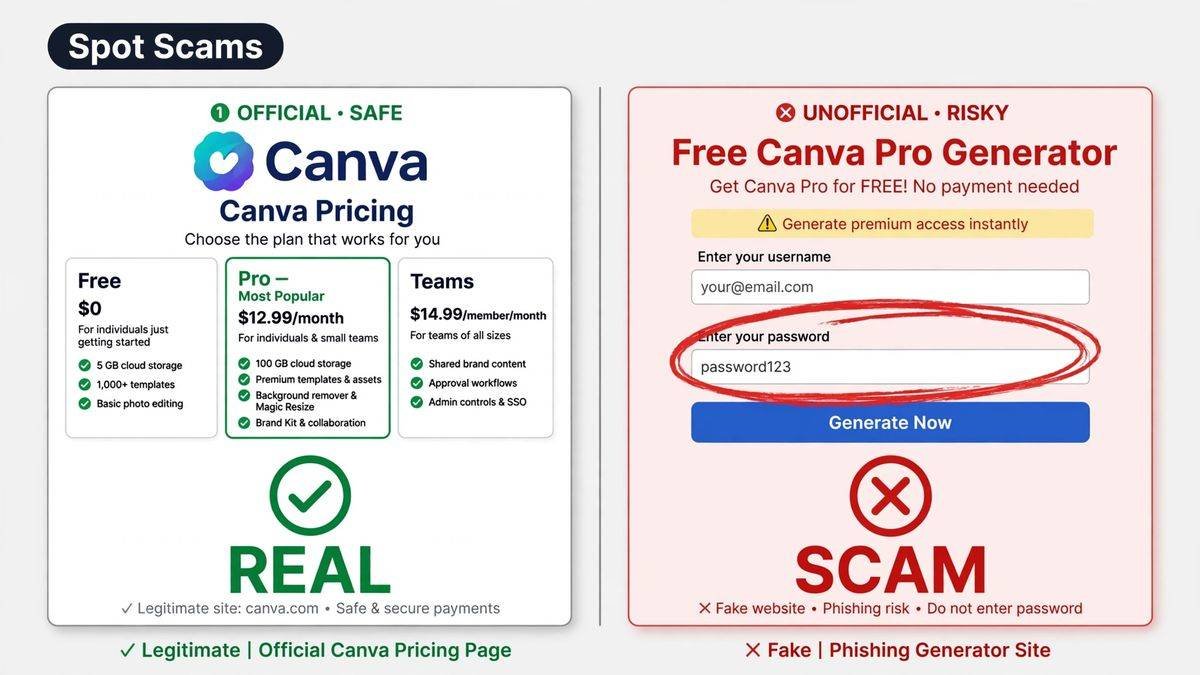
The internet is full of fake promises. If you want to get Canva Pro free legally, you need to recognize these red flags instantly.
1. “Lifetime free” claims. Canva runs on subscriptions. There is no legitimate lifetime free license for Canva Pro. Any site promising permanent free access is lying.
2. Public token URLs. Links like canva.com/brand/join?token=XXXX shared on Telegram channels or forums are gray-market workspaces. Canva’s security team shuts these down regularly, and everyone in them loses access.
3. Pay-to-join schemes. Anyone asking you to pay a small fee to “join their Pro team” is running a scam. Real team invites from real admins are always free.
4. Countdown timers and ad walls. Sites that make you wait through countdowns, click through ad pages, or complete “verification” steps to reveal a link are monetizing your clicks. The link at the end is worthless.
5. Modded apps and APKs. “Canva Pro mod APK” files from outside the Play Store are malware delivery vehicles. They steal credentials, and they cannot actually unlock Pro features on Canva’s servers anyway.
6. Sites asking for your Canva login. No legitimate method ever needs your password. If a site asks you to “log in to activate Pro,” it is phishing your account.
When in doubt, ask one question: does this come from Canva itself or from someone Canva trusts? If the answer is no, walk away. Anyone promising you can get Canva Pro free legally outside the five official methods is not telling the truth.
What Happens If You Use a Gray-Market Team
Let us say you ignore the warnings and join one of those public “free Canva Pro team” links anyway. What actually happens?
First, it works, briefly. You get Pro features for a few days or weeks. Then Canva’s security team detects the workspace, because thousands of strangers joining one team is not normal behavior, and the team gets shut down. Your access disappears overnight.
Second, and worse, your designs can go with it. Work saved inside a team workspace belongs to that workspace. When the team is deleted, team-owned designs may become inaccessible. People have lost client work this way.
Third, your account gets flagged. Canva can suspend accounts that repeatedly join abusive workspaces. Losing your Canva account means losing every design you ever made.
The math is simple. A few weeks of stolen Pro features is not worth losing your account and your work. Stick to the five legitimate methods above to get Canva Pro free legally, and your designs stay safe.
Frequently Asked Questions
Can I really get Canva Pro free legally?
Yes, through Canva’s official programs: the Education plan for teachers and students, the Nonprofit plan for registered charities, the 30-day free trial for anyone, a genuine team workspace invite, or official student discounts. These are the only legitimate paths.
Is there a working Canva Pro invite link for 2026?
No public one. A real Canva team invite link only comes privately from a workspace administrator you actually know, such as your teacher, employer, or client. Public “free team links” on Telegram and forums are gray-market workspaces that get shut down.
What is the difference between Canva Free and Canva Pro?
Canva Free gives you thousands of templates, basic design tools, and 5GB storage at no cost. Canva Pro adds the background remover, Magic Studio AI tools, premium stock content, Brand Kit, Magic Resize, and 1TB storage. For many casual users, the free plan is enough.
Will Canva ban my account for using a shared team link?
It can. Joining gray-market workspaces violates Canva’s terms of service. Canva routinely shuts down abusive teams, and accounts associated with them risk suspension along with loss of their designs.
How do I cancel the Canva Pro free trial before being charged?
Go to Account Settings, then Billing, and cancel before the 30 days end. You keep Pro access until the trial expires, and your card is never charged. Set a phone reminder a few days early so you do not forget.
Conclusion
You can get Canva Pro free legally, but only through the front door: Education, Nonprofits, the 30-day trial, a real team invite, or official student offers. Every “secret” method outside this list is either a scam or a shortcut to a banned account.
Quick recap of how to get Canva Pro free legally in 2026: check the Education plan first if you teach or study, apply for the Nonprofit plan if you run a charity, use the 30-day trial to test everything, accept only genuine team invites from people you know, and watch for official student discounts.
If none of the five methods fits you right now, start with Canva’s free plan. It is genuinely capable, it costs nothing, and your account stays safe. When you are ready for Pro, you will know exactly which legitimate path to take to get Canva Pro free legally.
For more on how real team invitations work, check our guide on Canva Pro team invite links. And if you are a student, our Canva Pro for students guide goes deeper on education options. You can also browse our latest guides for more community and design resources.