
You clicked a Facebook group invite link and nothing happened. Maybe you saw an error, a blank page, or a message saying the link is invalid. It is frustrating, but the good news is that most cases of a Facebook group invite link not working have a simple explanation and an even simpler fix.
In this guide, you will find 9 proven fixes that solve nearly every Facebook group invite link not working problem in 2026. Start with Fix 1 and work your way down. Most readers fix their Facebook group invite link not working issue within the first three steps.
Also Read

Table of Contents
- Why Facebook Group Invite Links Stop Working
- Fix 1: Get a Fresh Invite Link From the Admin
- Fix 2: Switch to the Correct Facebook Account
- Fix 3: Request to Join Instead of Using the Link
- Fix 4: Check Whether You Were Removed or Blocked
- Fix 5: Update or Reinstall the Facebook App
- Fix 6: Clear Cache or Try Incognito Mode
- Fix 7: Verify the Full Link Was Copied Correctly
- Fix 8: Confirm the Group Still Exists
- Fix 9: Bypass Spam Filters With Another Device or Network
- How to Prevent Invite Link Problems
- Frequently Asked Questions
- Conclusion
Why Facebook Group Invite Links Stop Working
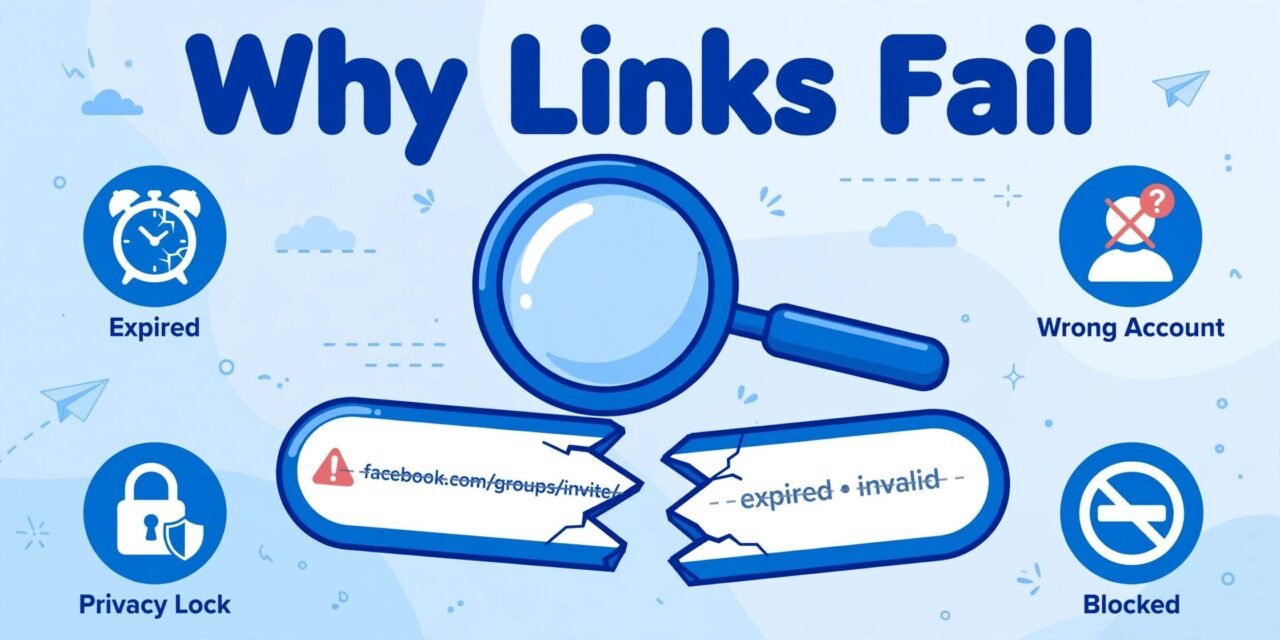
Before jumping into fixes, it helps to know what usually goes wrong. A Facebook group invite link not working almost always comes down to one of these causes:
- Expired or reset link: Group admins can reset invite links at any time. The old link dies instantly.
- Wrong account: You are logged into a different Facebook account than the one that received the invite.
- Privacy settings: Private and secret groups need admin approval even with a valid link.
- Removed or blocked: If an admin removed you, old invite links will not let you back in.
- App or browser glitch: Outdated apps, corrupt cache, or extensions break the join flow.
- Broken or partial link: The URL got cut off when it was copied or shared.
- Deleted group: The group itself may no longer exist.
- Spam filters: Facebook sometimes flags invite links shared across many chats.
Now let us fix each one. By the end of this guide, your Facebook group invite link not working problem will be history.
Fix 1: Get a Fresh Invite Link From the Admin
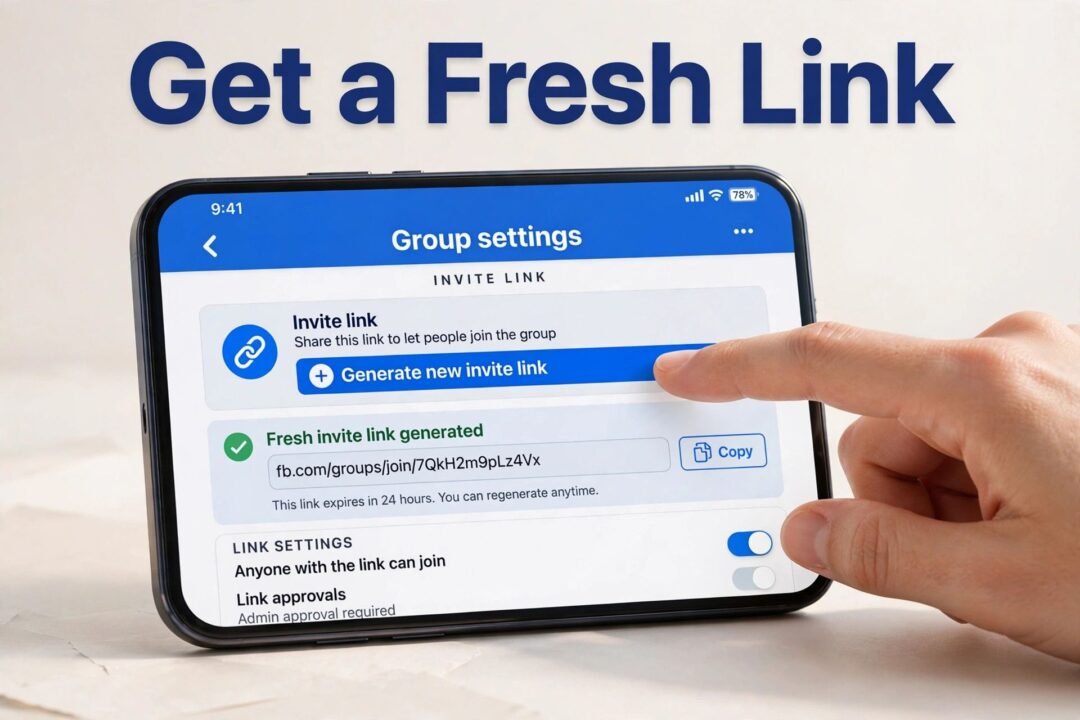
This solves the problem more often than any other fix. Facebook lets group admins reset their invite link whenever they want, and every reset kills all previously shared links. If the link you have is even a few weeks old, there is a real chance it is dead, which is the most common reason for a Facebook group invite link not working.
What to do:
- Contact the group admin or the person who sent you the link.
- Ask them to generate a new invite link from the group’s settings.
- Open the new link within a day or two, before it can be reset again.
If you found the link on a website or an old message, treat it as expired by default and always ask for a current one. This single step fixes a Facebook group invite link not working in most reported cases.
Fix 2: Switch to the Correct Facebook Account
Many people use two Facebook accounts, one personal and one for work or a page they manage. Invite links are tied to the account context. If the invite was meant for your personal profile but you are logged in as your business account, you will end up with a Facebook group invite link not working and a confusing error message.
What to do:
- Tap your profile picture in the Facebook app or on the website.
- Check which account is currently active.
- Switch to the account that received the invite, then tap the link again.
- On desktop, you can also open the link in a different browser where the right account is logged in.
Fix 3: Request to Join Instead of Using the Link
Here is something most guides skip: for private Facebook groups, an invite link alone is often not enough. Facebook may still require an admin to approve you. In that case you get a Facebook group invite link not working even though the link itself is perfectly valid.
What to do:
- Search for the group name directly in Facebook’s search bar.
- Open the group page and tap Join Group.
- Answer any membership questions the admins set up.
- Wait for approval. Most admins respond within a day.
If the group is secret, it will not appear in search at all. Then you truly need a working invite link from a member, which brings you back to Fix 1.
Fix 4: Check Whether You Were Removed or Blocked
This one is uncomfortable but worth ruling out. If a group admin removed you or blocked you, no invite link will ever work for your account. Facebook shows a generic error instead of telling you that you were removed, which makes a Facebook group invite link not working look like a technical bug.
What to do:
- Ask a friend who is still in the group whether they can see your profile in the member list.
- If you are not listed, you were likely removed.
- Contact an admin politely and ask to be re-added. Only an admin can reverse a removal or block.
There is no technical workaround for a block. Do not waste time reinstalling the app for this one. If you have a Facebook group invite link not working and you suspect a removal, confirming it first saves hours of pointless troubleshooting.
Fix 5: Update or Reinstall the Facebook App
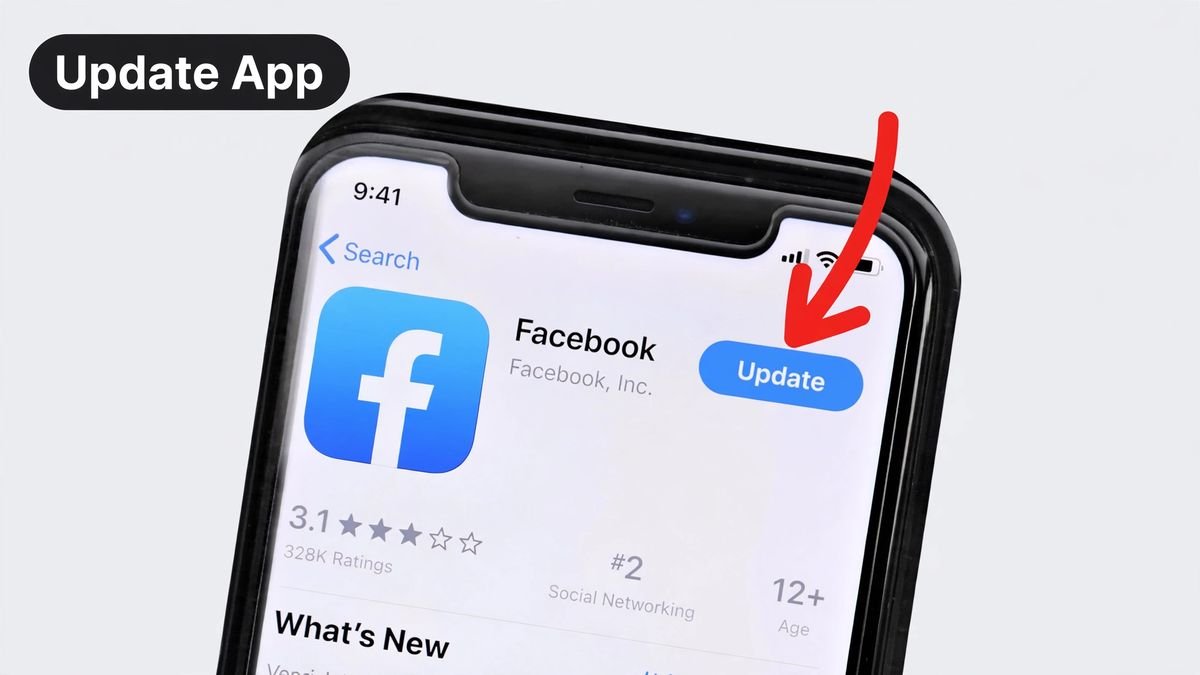
An outdated Facebook app is a classic cause of a Facebook group invite link not working on mobile. Old app versions mishandle newer link formats, and corrupted app data can break the join flow entirely.
What to do:
- Open the Play Store or App Store and check for a Facebook update. Install it.
- Try the invite link again.
- If it still fails, uninstall Facebook completely, restart your phone, then reinstall fresh.
- Log back in and tap the invite link once more.
Reinstalling clears corrupted local data that an update alone sometimes leaves behind.
Fix 6: Clear Cache or Try Incognito Mode
On desktop, the culprit is often your browser rather than Facebook. Stale cookies, a full cache, or an overprotective extension can all leave you with a Facebook group invite link not working for no obvious reason.
What to do:
- Open the invite link in an incognito or private window. If it works there, a cookie or extension was the problem.
- Clear your browser’s cache and cookies for facebook.com.
- Disable ad blockers and privacy extensions temporarily, then retry the link.
- As a last resort, try a completely different browser.
Incognito mode is the fastest diagnostic here. It takes ten seconds and tells you immediately whether your main browser profile is at fault.
Fix 7: Verify the Full Link Was Copied Correctly
Invite links are long, and they break easily when shared. A missing character at the end, a line break inserted by WhatsApp, or an extra space turns a valid link into a Facebook group invite link not working error.
What to do:
- Ask the sender to resend the link as plain text, not inside a long forwarded message.
- Long-press the link and choose Copy, making sure you grab the entire URL.
- Paste it into your browser’s address bar yourself instead of tapping it inside a chat app.
- Check that the URL starts with facebook.com or fb.com. Anything else is not a real Facebook invite link.
That last check matters. Fake invite links are a common phishing trick, so always confirm the domain before proceeding.
Fix 8: Confirm the Group Still Exists
Sometimes the link is fine and your account is fine, but the group itself is gone. Admins delete groups, and Facebook removes groups that violate its policies. A Facebook group invite link not working with a “content not found” error usually means exactly this.
What to do:
- Search Facebook for the group’s exact name.
- If nothing comes up, ask a former member whether the group was deleted or renamed.
- If it was renamed, get the new invite link (back to Fix 1).
- If it was deleted, no fix will bring it back. Look for an alternative community instead.
You can browse our latest guides for tips on finding active communities.
Fix 9: Bypass Spam Filters With Another Device or Network
Facebook’s automated systems sometimes flag invite links that get shared across many chats in a short time. When that happens, the link may fail on your phone but work fine elsewhere, which makes a Facebook group invite link not working deeply confusing.
What to do:
- Try opening the link on a different device, such as your laptop instead of your phone.
- Switch networks: if you are on Wi-Fi, try mobile data, or the other way around.
- Wait 24 hours and try again. Temporary flags often clear on their own.
- If the link was flagged as spam, ask the admin to generate a brand-new link rather than resharing the flagged one.
For more on how Facebook treats suspicious links, see Facebook’s official Help Center.
How to Prevent Invite Link Problems
Once your Facebook group invite link not working problem is solved, a few habits will keep it that way:
- Use fresh links. Always ask for a newly generated invite instead of reusing one from weeks ago.
- Save the group, not the link. After joining, bookmark the group itself so you never need the link again.
- Keep the app updated. Enable auto-updates for Facebook on your phone.
- Verify the domain. Real Facebook invite links always live on facebook.com or fb.com.
- Do not mass-forward links. Forwarding one link to dozens of chats is what triggers spam flags.
If you manage a group yourself, reset the invite link only when needed, and share the new one directly with the people you want to invite.
Frequently Asked Questions
Why does my Facebook group invite link say “invalid”?
An “invalid” message usually means the link was reset by an admin, copied incompletely, or belongs to a deleted group. Ask for a fresh link first (Fix 1), then check the full URL (Fix 7).
Can I join a private Facebook group with just an invite link?
Often you still need admin approval. Open the group page and tap Join Group, answer the membership questions, and wait for an admin to approve you.
Do Facebook group invite links expire?
They do not expire on a timer, but admins can reset them at any moment, which instantly kills old links. Treat any link older than a few weeks as suspect.
Why does the invite link work on my friend’s phone but not mine?
This points to your device or account: wrong logged-in account, outdated app, corrupt cache, or a spam flag tied to your network. A Facebook group invite link not working on only one device is almost never Facebook’s fault. Work through Fixes 2, 5, 6, and 9.
Is it safe to click Facebook group invite links from strangers?
Be cautious. Only open links on the facebook.com or fb.com domain, never enter your password on a page the link opens, and check our guide on active WhatsApp group links for general community safety habits that apply everywhere.
Conclusion
A Facebook group invite link not working is annoying, but it is rarely a mystery. In most cases the link is simply old, you are on the wrong account, or a quick app update clears the problem. Work through the 9 fixes above in order and you will be inside the group in minutes.
The single most effective step remains the simplest: ask the admin for a fresh invite link. Everything else is backup. Bookmark this guide so the next time you face a Facebook group invite link not working, you know exactly what to do.